
CP/M on the M5Stack Cardputer Adv
I’ve been working on a small retro-computing project: turning the M5Stack Cardputer Adv into a genuinely usable standalone CP/M computer.
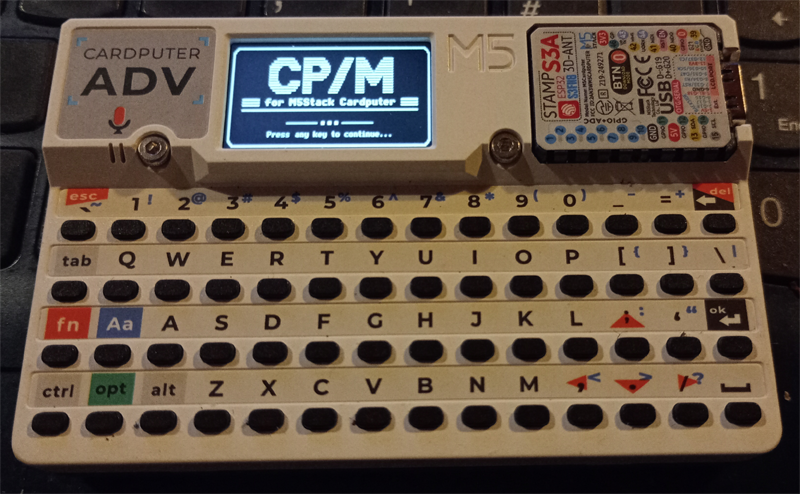
The result is Cardputer-CPM, a Z80-compatible CP/M environment built around RunCPM, but adapted specifically for the Cardputer’s built-in screen, keyboard, microSD storage and WiFi.
The aim wasn’t simply to get a CP/M prompt appearing over a serial connection. I wanted something that felt like a little self-contained computer: switch it on, use the built-in keyboard and display, run real CP/M programs, manage disks and files, and connect it to other machines over the network.
What it can do
Cardputer-CPM currently includes:
- A Z80-compatible CP/M environment
- Native use of the Cardputer Adv keyboard and 240 × 135 LCD
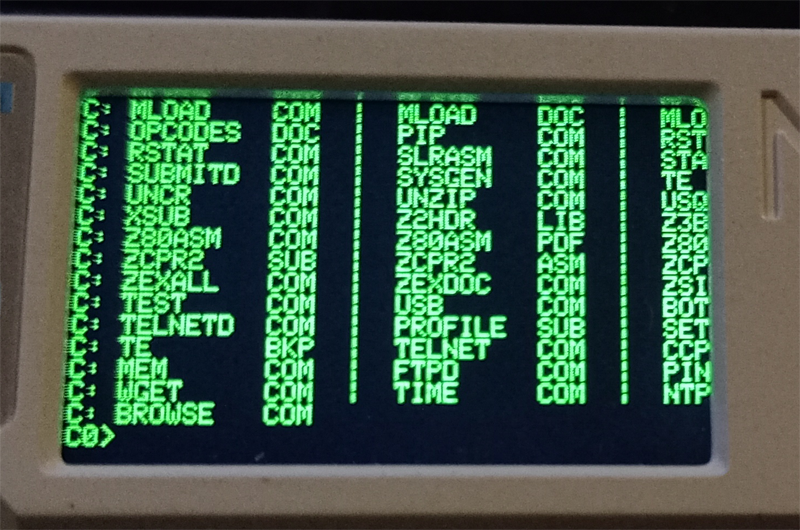
- An 80 × 24 VT100-style logical terminal
- Support for normal CP/M
.COMprograms - microSD-backed CP/M drives
- Fixed drives from C: through P:
- Removable-style A: and B: media slots
- CP/M user areas 0 through 15
- Persistent CP/M read-only, system and archive file attributes
- Automatic startup commands using
PROFILE.SUB - A configurable CP/M command search path
Networking
The Cardputer’s WiFi is used for both remote access and transferring files without needing to remove the microSD card.
- TELNETD – connect into the Cardputer from another machine
- TELNET – connect out from CP/M to remote Telnet systems
- FTPD – transfer files to and from the Cardputer
- FTP – an interactive outbound FTP client
- WGET – download files directly from HTTP or HTTPS URLs
- BROWSE – a simple text-based web browser
- DNS – hostname lookup
- PING – network testing
- NTP and TIME – network time synchronisation and clock display
- IFCONFIG – DHCP and persistent static IPv4 configuration
File transfer without removing the SD card
One of the things I particularly wanted was to stop taking the microSD card backwards and forwards between the Cardputer and a PC every time I wanted to add a program.
The built-in FTP server now makes that unnecessary. Files can be uploaded directly over WiFi, while the outbound FTP client and WGET also allow the Cardputer itself to retrieve files from elsewhere.
That makes experimenting with old CP/M software considerably more convenient.
Classic CP/M devices
The project also supports the traditional CP/M character devices:
- CON: – console
- LST: – list/printer output
- RDR: – reader input
- PUN: – punch output
The Cardputer Adv’s external UART can also be used as a real bidirectional CP/M auxiliary serial interface at 115200 baud.
Using the Cardputer as a standalone machine
The normal interface is the Cardputer itself, but the console can also be routed through USB or Telnet.
A physical G0 button shortcut cycles through the main operating modes:
LOCAL → TELNETD → FTPD → LOCAL
There is also an emergency key combination to return directly to the local console.
Other small touches include battery status reporting, an optional boot splash screen, removable-media controls, and proper CP/M file attributes.
Real CP/M software
The important part is that this isn’t a mock-up of CP/M. It runs real CP/M software.
Standard utilities such as DIR, STAT and PIP are already working, and the project is being developed with compatibility with real historical CP/M applications in mind.
There’s something pleasing about having a complete CP/M machine, keyboard, screen, storage and network connection in something roughly the size of a pocket calculator.
Source code
Cardputer-CPM is open source under the MIT License.
The source code, current firmware project and documentation are on GitHub:
github.com/ReconditeBox/Cardputer-CPM
The project uses RunCPM as its CP/M emulation core, with the Cardputer-specific console, storage, removable-media, hardware and networking integration added around it.
It’s still an active project, but it has already reached the point where the Cardputer is a surprisingly capable little standalone CP/M computer.